FilmFX

Add a warm light leak at the edge of a photo.

Choose an edge, move a warm or custom-colored leak along it, then balance its strength with your photo. Start gently and compare against the original before saving.

Try the sample photoYour photo stays on your device

Edge light, with the original photo underneath

This effect creates a soft light band and a wider halo using a screen-style blend. In the studio’s Light leak panel, choose left, right, top or bottom, move the position along that edge and select the tint. The pattern is calculated from photo dimensions, so landscape, portrait and square photos do not need a stretched overlay file.

Use Strength to control the whole leak rather than repeatedly applying it. In the studio, Texture can add grain independently and Crop can change the composition. For an aged surface instead of edge light, use Film Scratches; for a separate reusable noise file, open the Grain Overlay generator.
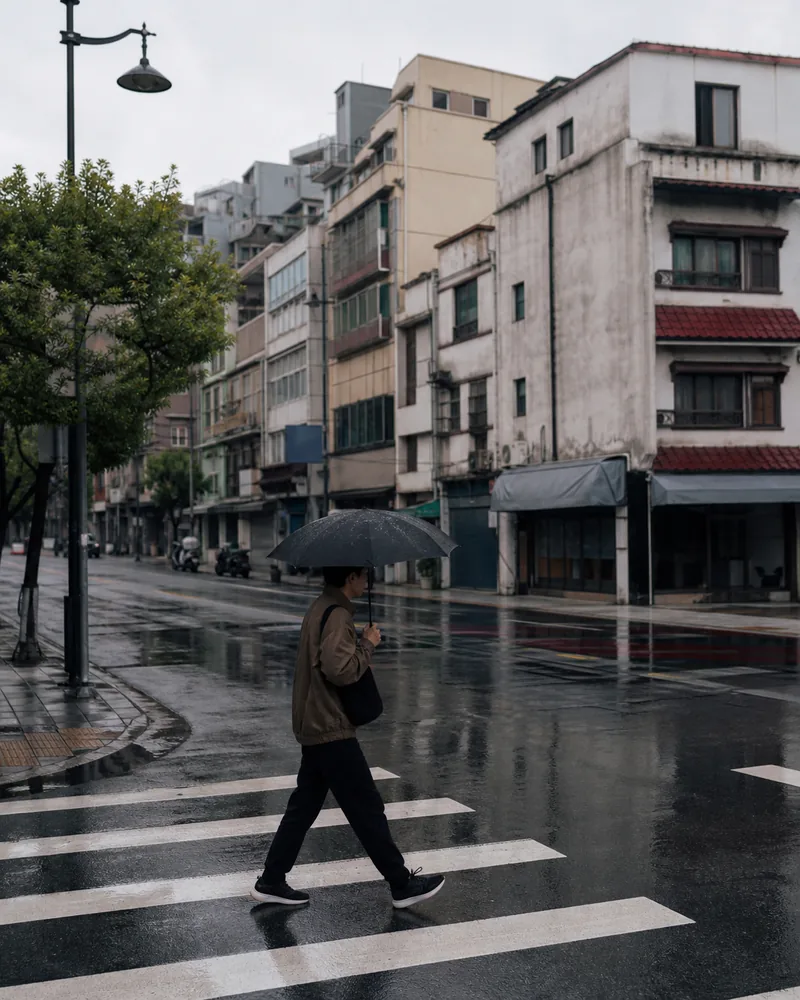
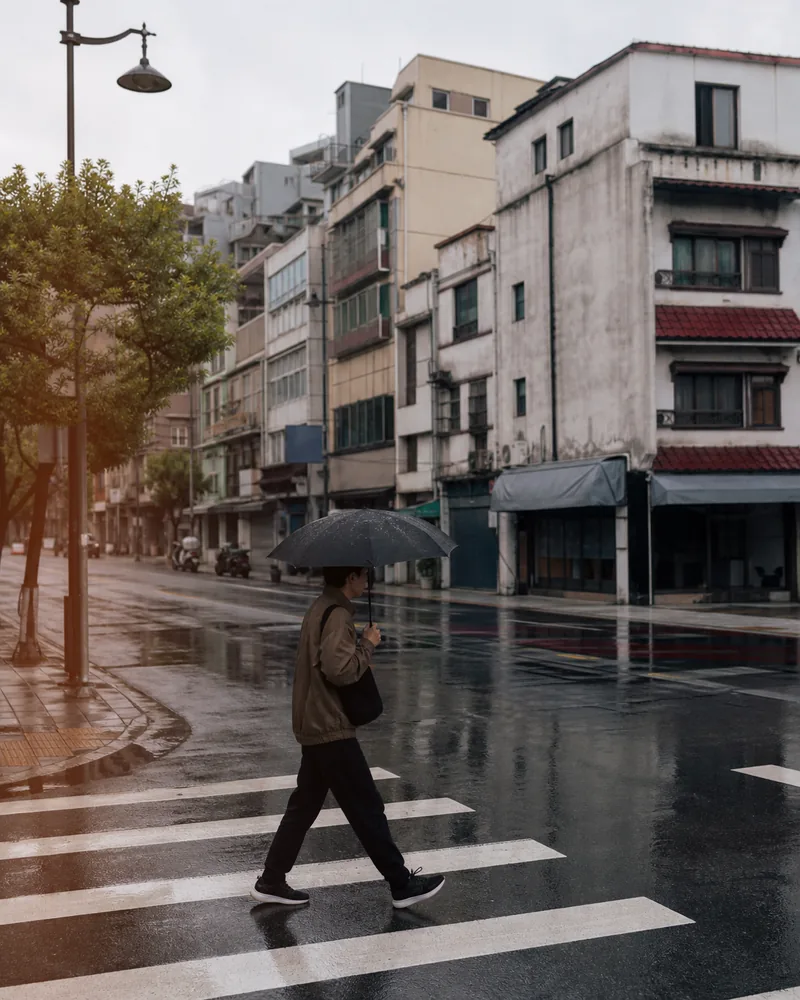
A real before-and-after from this filter

This comparison uses the starting preset at 45% strength, matching this page’s studio entry. Compare the same source before trying your own photo.

A person with an umbrella crosses a rainy city street before the warm edge-light effect.
Original
The same rainy street with an amber-red procedural light leak brightening its left edge at 45%.
Filtered result

Choose the next step for this image

Keep editing the photo, or use a separate tool when you need a texture file, a paper frame or several finished images.

Add a light leak without uploading a photo

  1. 01

    Open your photo

    Choose a photo on your device or load the same sample used in the comparison.

  2. 02

    Set the amount of edge light

    Keep the subject visible. Toggle the original to check whether the brighter edge helps the composition.

  3. 03

    Export the finished photo

    Save JPG, PNG or WebP in the studio. Add a frame afterward if you want a finished album card.

Questions worth answering first

FilmFX is independent and is not affiliated with or endorsed by Fujifilm, Kodak, or another film manufacturer. Brand names are used descriptively, and browser results can differ from camera output.

What does a Light leak photo filter look do to a photo?+

It adds a colored edge-light band and halo. Choose one of four edges, adjust the position and tint, then blend the complete leak with Strength. It exports a finished still photo without uploading it.

Can I download a separate light leak PNG?+

This tool applies the light leak to a photo and exports that finished photo. It does not export an isolated transparent light-leak layer. The Grain Overlay tool provides separate noise PNGs.

Is this real film damage or halation?+

It is a procedural creative light leak. It is not a scanned film artifact, a physical light simulation or highlight-dependent halation.

Try a neighboring film look

The same photograph can ask for a different answer. These collections are close enough to compare and different enough to be useful.