
Polaroid-style photo frame maker
Give a photo a paper frame and a little room for a memory. Choose the border, add a caption and export a print-ready PNG locally. This independent tool is not affiliated with Polaroid.
Choose a photo, or try the sample. Keep its colors or add a gentle Instant Fade treatment.
Up to 64 characters. Captions are rendered into the image, not saved on a server.
PNG includes 300 ppi metadata. Print at 100% scale for the selected outer size; a larger canvas cannot restore missing photo detail.
Processed on your device. No photo uploads.
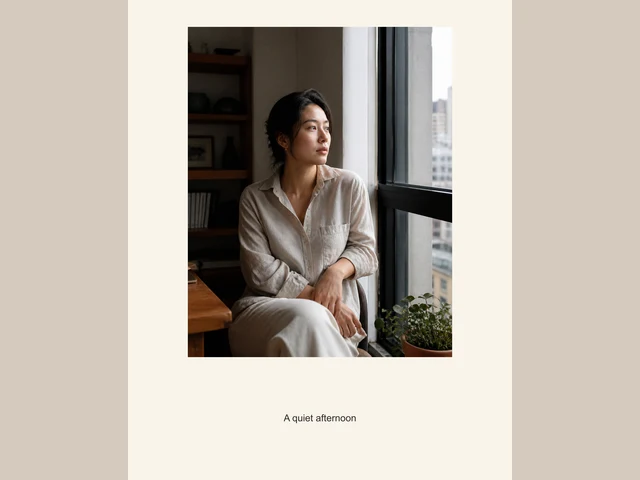
A frame and a color treatment are different choices
Choose a photo, use the sample or continue directly from the studio’s Create & export panel. That local handoff includes the applied crop, color, texture and date stamp as a PNG up to 2048px long edge; no intermediate download is needed. Keep whole photo preserves its content, while Fill and crop centers it in the frame window. The tool remains independent of Polaroid and does not provide official branded templates.
Keep every edge, or deliberately fill the frame
Keep whole photo fits every source pixel within the image window and may leave extra space. Fill and crop centers the image and trims edges to fill that window. Check faces, hands and important lettering before exporting. The classic instant layout uses a square image window with a larger caption area underneath.
Export pixels with actual print metadata
Choose 1200 × 1500, 1500 × 1500 or 1800 × 1200 pixels. The PNG carries 300 ppi metadata, corresponding to outer sizes of 4 × 5, 5 × 5 or 6 × 4 inches at 100% print scale. Printer margins and print-dialog scaling still affect the result. A larger frame does not recover detail from a small source photo.
How to use this tool
1. Choose your photo
Open a supported image from your device or try the sample. Nothing is uploaded to a server.
2. Build the frame
Select a layout, border color and width. Add up to 64 characters and check the fit mode.
3. Download the PNG
Choose the output size and download. Share the image or print it at the intended scale.
Questions before you export
- Will the tool crop my photo automatically?
- The default Keep whole photo option preserves the entire image. Only Fill and crop deliberately trims edges to fill the selected window.
- Can I add text and change the white border?
- Yes. Add a caption up to 64 characters, choose a light or dark frame, or use the color picker. Captions are drawn into the PNG locally.
- Is this an official Polaroid editor?
- No. FilmFX is independent and is not affiliated with Polaroid. The layouts are generic instant-photo-inspired frames, not official film templates.