FilmFX

VHS filter online Add a retro VHS effect to photos.

Give a phone photo the feel of a paused home video: scanlines, soft color separation and a little tape drift. Open the VHS preset in the studio, adjust its strength and export locally. Free, no sign-up and no watermark.

Try the sample photoYour photo stays on your device

Tape texture, with your photo still in view.

The VHS preset combines softened contrast and cooler shadows with horizontal scanlines, color bleeding along edges and a small tracking disturbance near the bottom. These are spatial effects rendered into the photo, rather than a transparent color layer. Filter strength blends the complete effect with your original image.

Start at 50–80% strength, then open VHS to adjust Scanlines, Chroma shift, Jitter, Noise and Tracking independently. Set a control to zero to remove that part of the effect. Add an optional date in the Date tool; dates remain off until chosen. This editor treats still photos, not video, and does not claim calibrated reproduction of a tape deck.

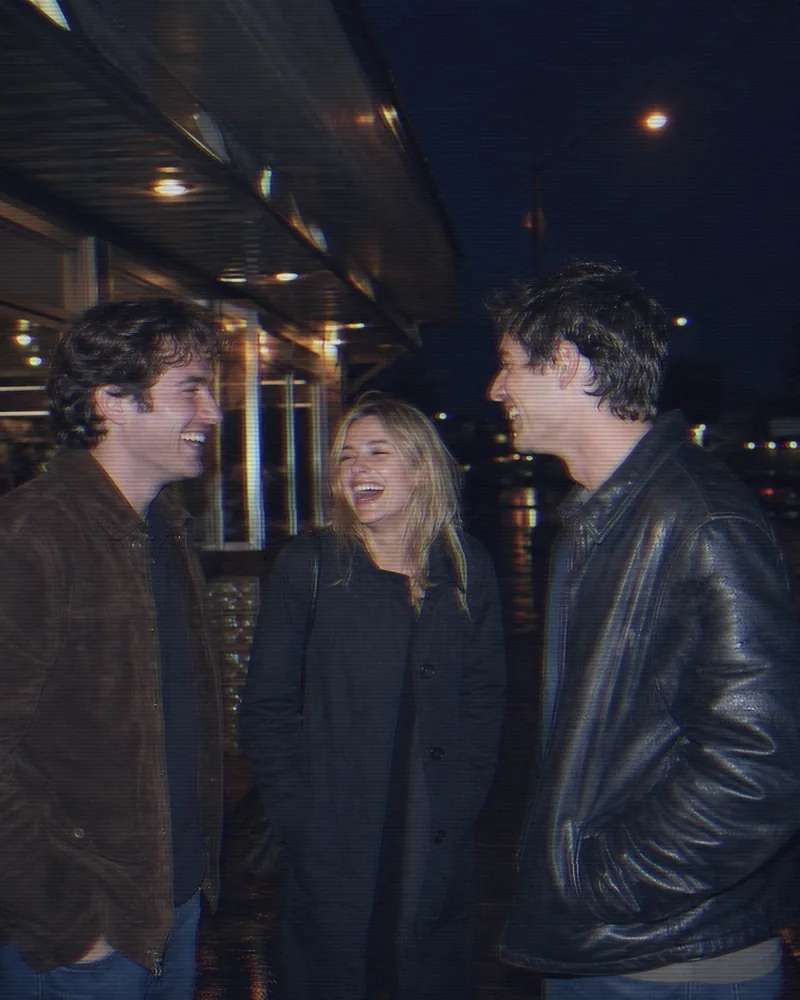
A real before-and-after from this filter

This comparison uses the starting preset at 82% strength, matching this page’s studio entry. Compare the same source before trying your own photo.

Three friends laugh together outdoors at night under direct camera flash.
Original
The same night snapshot with VHS scanlines, color bleed and tape tracking at 82%.
Filtered result

Make a VHS-style photo in three steps

  1. 01

    Choose a photo

    Choose your photo here, or open the sample. The studio opens with VHS selected. Photo pixels stay on your device.

  2. 02

    Dial in the tape effect

    Use Filter strength to adjust scanlines, color bleeding and tracking together. Color, Crop and Date each have their own tool tab, while the preview stays visible.

  3. 03

    Compare and export

    Drag the before/after divider to inspect faces and fine details. Download JPG, PNG or WebP, or make an optional comparison card in Creative exports.

Questions worth answering first

FilmFX is independent and is not affiliated with or endorsed by Fujifilm, Kodak, or another film manufacturer. Brand names are used descriptively, and browser results can differ from camera output.

What does a VHS photo effect look do to a photo?+

The VHS preset renders horizontal scanlines, edge color bleed and a subtle tracking band into a still image. Its color treatment also softens contrast and cools shadows. Reduce Filter strength for a lighter effect.

Is a VHS filter the same as a 90s photo filter?+

VHS imitates a frame from analog videotape, with scanlines and imperfect color alignment. A 90s photo look evokes a printed snapshot or direct-flash photograph. Use the 90s photo collection when you want flash color without tape artifacts.

Can I process video or export the VHS effect as a LUT?+

This tool edits still photos only. A .cube export contains the color treatment, but cannot contain scanlines, color bleed, tape tracking, grain or a date stamp because those depend on pixel position. Use an image export to keep the full VHS effect.

Try a neighboring film look

The same photograph can ask for a different answer. These collections are close enough to compare and different enough to be useful.