
Give a photo a film look from your chat
Use FilmFX MCP with Codex or Claude Code to filter a local photo and save a new copy. An interactive chat card and FilmFX Studio offer browser-based editing.
Set up local editing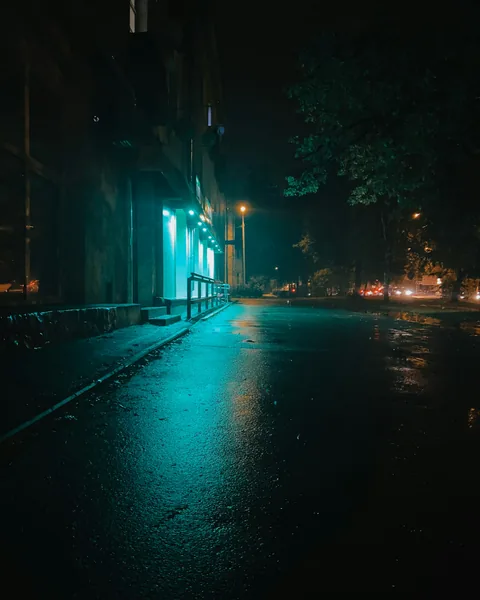 Original
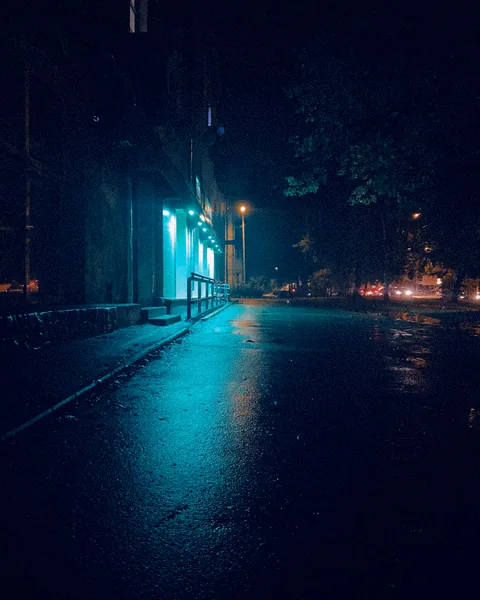 After Dark Tungsten · 82%
Edit in Codex or Claude Code
Install Node.js 22.12 or later. Open PowerShell or a macOS/Linux terminal in the folder that contains your photos. Choose your client and run both commands once.
npm install --global https://filmfx.app/downloads/filmfx-mcp-0.1.0.tgz
codex mcp add filmfx -- node "$(npm root -g)/filmfx-mcp/dist/cli.mjs" serve --root "$PWD"
Start a new chat in that folder. Use the filename in your request and leave the photo on disk. Replace night.jpg with the name of your own photo.
Give night.jpg an After Dark Tungsten film look at 82% and save a new copy beside the original.You’ll get a path such as night-after-dark-tungsten.jpg. Your original stays intact. The local tool accepts JPEG, PNG and WebP up to 48 MP and 80 MiB, preserves the oriented dimensions, and removes EXIF and GPS from the export.
Download the local packageConnect with a URL
Paste this address into your client’s remote MCP settings and ask for a film look. A coding client with an available local terminal can run the supplied FilmFX command in your photo folder after its usual install approval.
https://filmfx.app/mcpWhen your chat supports interactive cards and local downloads, select the photo inside the card and save the JPEG. Other clients get a Studio link with the same preset and strength. For a private workflow, select files inside FilmFX or give your local tool the path. Chat attachments follow your AI provider’s data policy.
Try the night recipe in Studio